A LITTLE CLARITY BEFORE MARKET DAY
Will your next
craft fair pay off?
Find out how many sales cover your costs. Try the free calculator before you book your next stall.
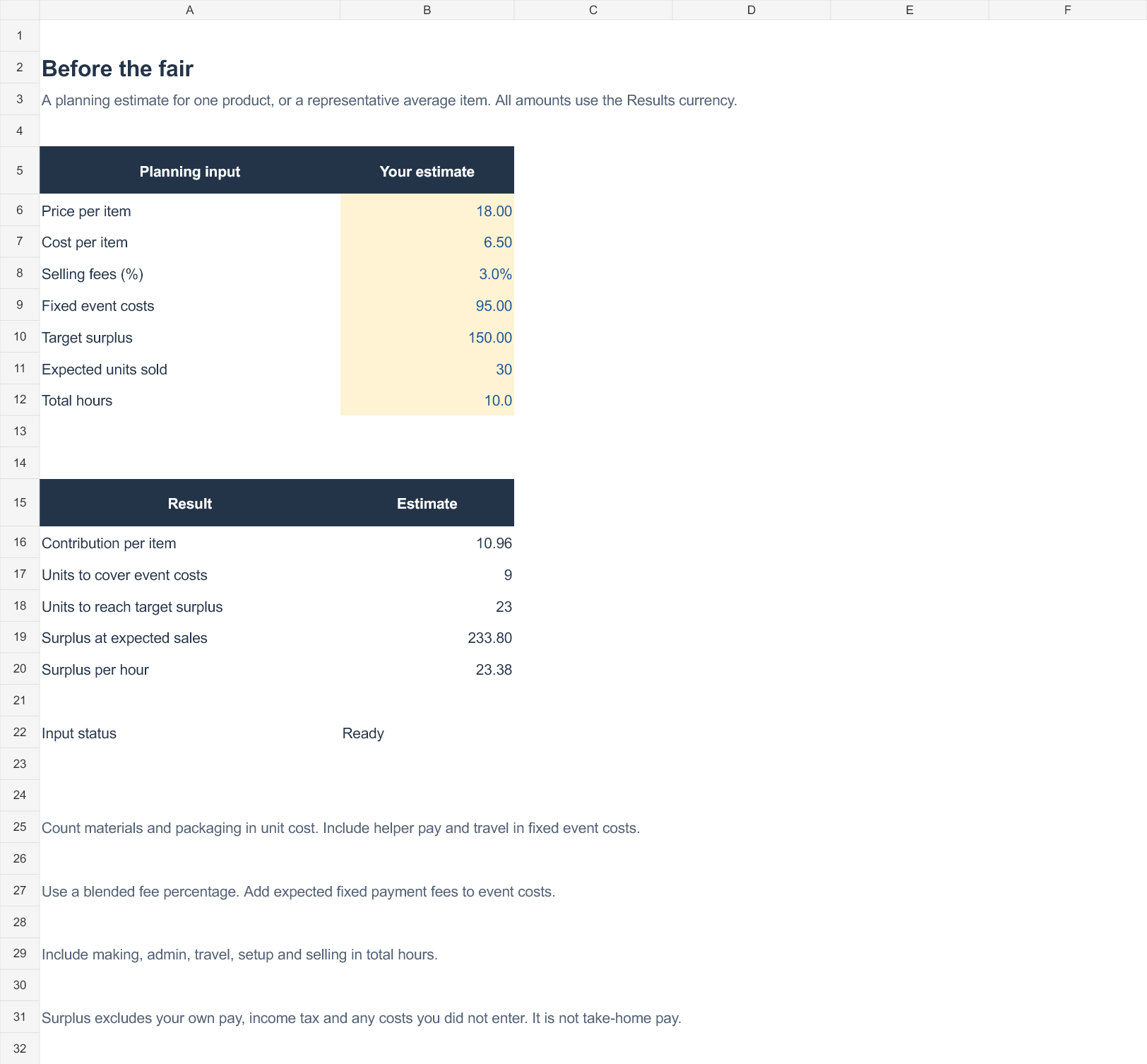
With the example numbers, you need to sell
to cover your event costs
This estimates surplus after the costs you enter. It excludes owner pay, income tax and unlisted overhead. It does not predict how many items will sell.
Get the free market-day checklist ↗BEFORE THE FAIR IS ONLY HALF THE STORY
Track what actually happened.
The Craft Fair Profit Kit brings your event costs and product sales into one Excel workbook, so you can compare what remained after each fair.
- Plan and compare up to 50 events
- Record 200 product sales rows
- See surplus, leftover units and surplus per hour
- Follow a worked example and quick-start guide
One-time digital download. Desktop Microsoft Excel required. English. Google Sheets, Numbers and mobile Excel are not tested. Checkout may display local currency and applicable taxes.
TAKE THE NEXT STEP
Your next fair, a little more organised.
Get the checklist and three short emails: how to prepare, a worked example, and a look at the Excel kit. Sign up only if you want them. Unsubscribe at any time.
Send me the free checklist →The signup form is hosted securely by EmailOctopus.
A few useful answers.
How does the calculator work?
Contribution per item = price × (1 − selling fee percentage) − materials and packaging. Break-even units = fixed costs ÷ contribution, rounded up. Target units include your target surplus in fixed costs.
What if I sell several different products?
Use a representative average for planning. The Excel kit lets you enter product sales separately to calculate actual results after the event.
Is my information saved?
Your prices and costs stay in your browser. With your permission, we count visits and button clicks using a random browser identifier. We do not send your calculator inputs. Email signup is optional and handled by EmailOctopus.